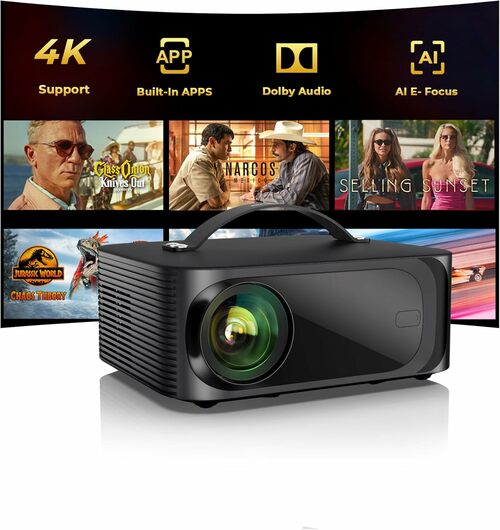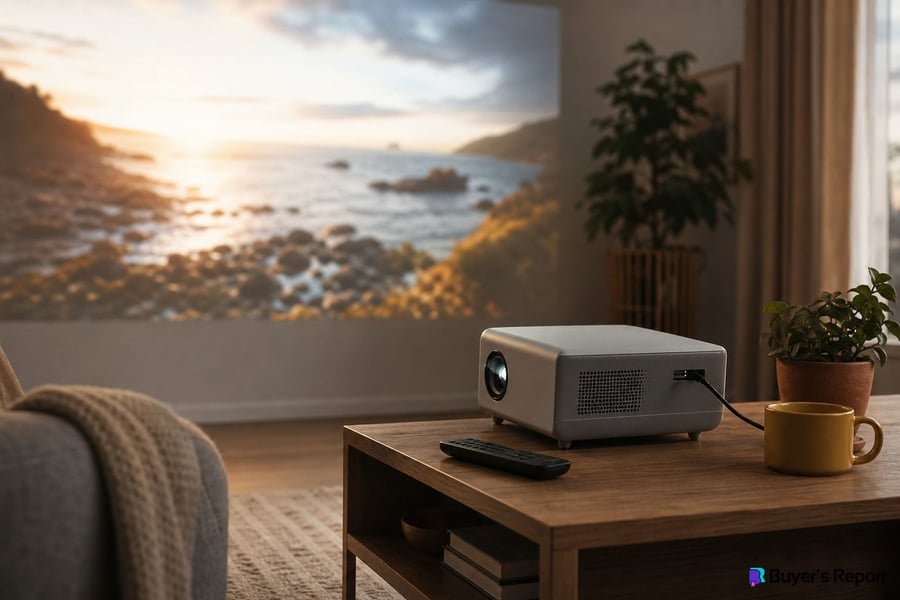
A projector can turn any wall into a 100-inch screen, delivering a cinematic experience that no flat-panel TV can match at the same price point — but buying the wrong one for your room is one of the easiest and most expensive mistakes in home entertainment. The right choice depends on how much space you have, how much ambient light you're dealing with, and whether you need it for movie nights, weekend gaming sessions, backyard gatherings, or boardroom presentations. This guide walks you through the specs that actually matter, the questions to ask before you buy, and the trade-offs between the major projector types so you can make a confident decision.
Who Is a Projector For?
Projectors aren't the right fit for every household, but they suit more situations than most buyers realize. If any of the following describes your setup, a projector is worth serious consideration.
- Home-theater enthusiasts get the most from a projector. A dedicated dark room paired with the right model can produce image quality — particularly in sheer screen size and contrast — that flatscreen TVs simply can't replicate at comparable price points.
- Family living-room viewers who want a flexible big-screen upgrade will need to prioritize brightness, since ambient light is the enemy of projector image quality. The right model can genuinely replace a TV, but brightness and throw-ratio compatibility with your room matter enormously here.
- Gamers benefit from projectors designed with low input lag and high refresh rates, giving them an immersive screen size without the eye fatigue of sitting close to a large panel. Not every projector is built for gaming, so this use case requires careful spec-checking.
- Business and education users need high lumen output, reliable connectivity, and portability above all else. Image perfection is secondary to legibility in a bright conference room or classroom.
- Outdoor and travel users prioritize compact size and battery capability over peak performance. A portable or mini projector is purpose-built for this audience, accepting some brightness trade-offs in exchange for genuine mobility.
Types of Projectors
Projectors vary more than almost any other home-electronics category, spanning wildly different form factors, light sources, and imaging technologies. Understanding the major types before you shop will help you filter out models that were never designed for your use case.
- Standard/Long-Throw projectors have a throw ratio above 1.5:1 and are designed for ceiling-mount or rear-table placement in medium-to-large rooms. They offer the widest range of image sizes and are the most common format for dedicated home-theater installs.
- Short-Throw models (throw ratio 0.4–1.5:1) sit closer to the wall, which reduces shadow interference when people walk between the projector and screen, and shortens cable runs. They suit smaller rooms and living-room setups where a long throw distance simply isn't available.
- Ultra-Short-Throw (UST) projectors sit just inches from the wall and are a strong choice for rooms where a ceiling mount isn't feasible. They're often paired with ambient-light-rejecting (ALR) screens to compensate for the fact that they typically project upward at an angle, making them more susceptible to overhead light wash.
- Portable/Mini projectors sacrifice peak brightness for battery power and compact size. They're ideal for travel, camping, or casual backyard use, but don't expect them to compete with a full-size model in a bright room.
- Home-Theater projectors prioritize contrast ratio, color accuracy, and native resolution in controlled, dark-room environments. They're where most of the high-end imaging technology — including LCoS chips and RGB laser light sources — concentrates.
- Business/Presentation projectors lead with raw lumen output and port selection. They're built to be legible in brightly lit rooms and durable enough for frequent transport.
- Gaming projectors are defined by input lag under 16 ms and refresh rates of 120 Hz or higher. Some include dedicated game picture modes that optimize color and motion for fast-paced content.
On the imaging-technology side, three chip types dominate the market. DLP projectors deliver sharp motion and high contrast but can produce a "rainbow effect" — brief color fringing — that some viewers find distracting. If you're sensitive to this, audition a DLP model before buying. 3LCD projectors are bright, color-accurate, and free of the rainbow effect, though they historically offer lower native contrast. LCoS technology delivers the highest native contrast of the three and appears in flagship home-cinema models, but it commands a premium price.
Brightness, Throw Ratio, and Resolution — the Three Specs That Drive Every Decision
Most projector spec sheets are cluttered with numbers, but three of them do the heavy lifting when it comes to matching a projector to your room and use case. Getting these right before you look at anything else will save you from the most common purchase mistakes.
- ANSI Lumens is the only brightness figure worth comparing across models. Always verify ANSI lumens — not "LED lumens," "peak lumens," or any other non-standardized figure — when comparing brightness across models. As a practical guide: dark dedicated rooms typically need 1,500–2,500 lumens; living rooms with ambient light need 3,000–4,000+; outdoor or bright presentation venues need 4,000–5,000+. Higher isn't universally better, though — too many lumens in a fully dark room can actually reduce perceived contrast and cause eye fatigue, so match brightness to your real environment rather than chasing the biggest number on the box.
- Throw Ratio is the ratio of projection distance to image width — a 1.5:1 throw ratio means the projector must sit 1.5 feet back for every foot of image width. Measure the available distance in your room first, then use that number to confirm the projector can fill your target screen size from that position. Selecting the wrong throw ratio is the single most common projector purchase mistake, and it's entirely avoidable with a tape measure and a quick calculation before you buy.
- Native Resolution is the actual pixel grid the projector outputs. Distinguish native resolution from "compatible," "enhanced," or "pixel-shifted" resolution claims — especially for 4K — since these terms describe processed or interpolated output, not true native pixels. For most viewers at standard seating distances, 1080p is excellent; 4K native resolution pays off most on screens larger than 100 inches or with close seating.
Light Source: Lamp, LED, or Laser
The light source affects how long the projector will last, how much it will cost to own over time, and how consistently it performs across years of use. It's one of the most purchase-critical decisions you'll make, particularly if you plan to use the projector frequently.
- Lamp-Source projectors carry the lowest upfront cost but require periodic bulb replacement every 2,000–5,000 hours, which adds meaningfully to total cost of ownership — factor that replacement expense into any budget comparison with LED or laser models. They're a reasonable choice for occasional use, but frequent users will quickly eat into any upfront savings.
- LED-Source projectors last 20,000–30,000 hours with no replacement parts needed, and they're energy-efficient. Their trade-off is lower peak brightness, which limits them in ambient-light environments but makes them well-suited to portable models and casual dark-room viewing.
- Laser-Source projectors offer the highest brightness and widest color gamut, with instant on/off behavior and the same 20,000–30,000 hour lifespan as LED — no lamp to replace. The trade-off is a higher upfront cost, which frequent or serious users tend to recover over time through eliminated lamp expenses and consistently superior image quality.
Key Features to Look For
Once you've confirmed throw ratio, brightness, and resolution compatibility with your room, shift focus to the features that define daily usability and long-term satisfaction.
- Connectivity and Ports determine whether the projector will work with your existing devices without adapters. Look for HDMI 2.0 or 2.1 for 4K and HDR passthrough, plus enough ports to avoid constant cable-swapping. USB power ports are useful for powering streaming sticks directly.
- Built-in Streaming OS adds meaningful convenience if you want a clean, cable-free setup. Evaluate whether the built-in platform supports the services you actually use, and check whether the OS receives ongoing software updates.
- Wireless Casting support — whether through a proprietary standard or a built-in casting protocol — matters most for casual viewers and business presenters who want to share content from a phone or laptop without hunting for cables.
- Contrast Ratio is most critical for dark-room home-theater use, where deep blacks and shadow detail define the viewing experience. It's less decisive for bright-room presentation use, where ambient light overwhelms any native contrast advantage.
- Keystone Correction and Lens Shift give you flexibility in projector placement. Optical lens shift (moving the lens physically) preserves image quality better than digital keystone correction, which can introduce softness — worth checking if precise placement is difficult in your room.
- Built-in Audio is convenient but rarely satisfying for home-theater use. Speakers built into most projectors are limited, so anyone planning a home-theater setup should budget for an external audio solution — a soundbar or AV receiver — alongside the projector itself.
- Input Lag and Refresh Rate matter exclusively to gamers. If gaming is a primary use case, confirm input lag is under 16 ms and that the projector supports at least 120 Hz at your target resolution before buying.
Bottom Line
A projector is one of the most rewarding display purchases you can make — but only when the specs match the room. Measure your throw distance before anything else, verify ANSI lumens against your actual ambient-light conditions, and always confirm you're looking at native resolution rather than a marketing interpretation of it. From there, your choice of light source and imaging technology will come down to budget, usage frequency, and how much you care about picture fidelity versus convenience. Get those fundamentals right, and a projector will deliver a big-screen experience that genuinely changes how you watch, play, and present.

 ONOAYO
 HAPPRUN
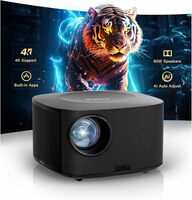 ONOAYO
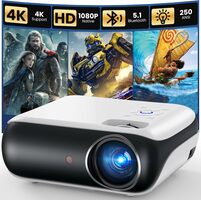 HAPPRUN